


Buying a tablet sounds simple until you actually start comparing options. Screens look similar, specs blur together, and prices jump fast. One model promises performance, another highlights display quality, and a third focuses on accessories. It is easy to feel stuck between choices that all look good on paper. If your goal is entertainment with some light productivity on the side, you do not need the most expensive device on the shelf. You need the right balance between comfort, performance, and price.
This guide breaks down how to choose a tablet that actually fits everyday use. Streaming shows, reading books, browsing the web, taking notes, and handling basic work tasks all have different requirements. Instead of pushing specs or brand names, this article focuses on what matters in real use. Clear points, practical examples, and simple explanations so you can decide confidently without overthinking it.
Before looking at brands or specs, be honest about usage.
Ask yourself:
If your usage is casual entertainment with a little bit of productivity, you are not buying a laptop replacement.
For entertainment, the screen matters more than raw performance.
A sharp display reduces eye strain and makes long viewing sessions comfortable.
You do not need top level processors for light tasks, but weak hardware will slow you down.
For smooth use:
Light productivity includes email, Google Docs, spreadsheets, video calls, and note apps. Any modern mid range tablet can manage this without lag.
The software experience affects daily use.
For entertainment and light productivity, what matters most is:
The best tablet for you is the one that fits how you already use apps on your phone or laptop.
Many people assume the best tablet means the highest price. That is rarely true.
The best tablet is the one that:
Paying extra only makes sense if you actually use the added features.
If movies and shows are a priority, focus on these basics.
Key features for a tablet for streaming:
Good speakers matter more than people realize. They make a noticeable difference when watching content without headphones.
A tablet for reading should be easy to hold and easy on the eyes.
Important points:
Many people prefer slightly smaller tablets for reading because they feel less tiring during long sessions.
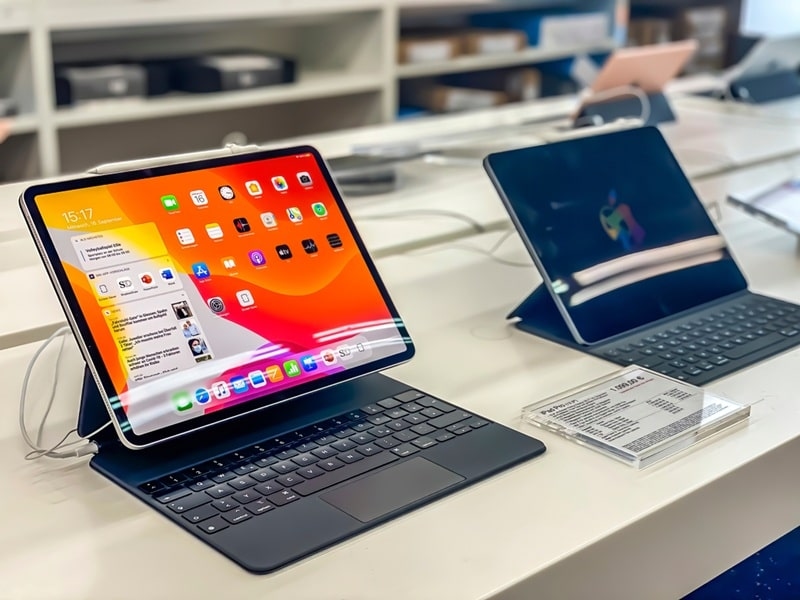
Light productivity does not require desktop level power.
Look for:
This is where accessories start to matter more than specs.
The proper tablet uh accessories can radically influence the level of usefulness of your device.
Buying the right set of accessories can often be more satisfying than just purchasing a tablet
Understanding where tablets fit helps set expectations.
This touchscreen device comparison shows why tablets are popular:
For entertainment and light productivity, tablets offer the most flexibility.
Battery life matters more than speed for casual users.
Look for:
A tablet with strong battery life feels reliable and low maintenance.
Knowing tablet price tiers helps avoid overpaying.
Most people looking for entertainment and light productivity will be happiest in the mid range tablet price tiers.
Do not overlook storage and ports.
If you travel often, cellular support may be worth considering, but WiFi only models work fine for most users.
Avoid these mistakes:
A little planning avoids regret later.
In order to select the best tablet:
Do not buy like a sound system. Rather think of it as an everyday life.
The best tablet is one with a sharp display, smooth performance, long battery life, and support for basic tablet accessories like a keyboard or stylus. Mid range models usually offer the best value.
Yes. A tablet for reading and a tablet for streaming work very well if the screen quality is good and battery life is strong. Many people use one device for both.
Basic tablet accessories like a keyboard and protective case make light productivity easier, but they are optional. You can start without them and add later if needed.
This content was created by AI